Features
Quotes become jobs. Jobs hit machines. Stock, quality and despatch stay in the same picture — with AI that can tell you what is late and why. The full product sits on one plant plan.
Build from sell prices and labour rates. Prefill setup and run from the times library. Convert a won quote into a job in one action.
Labour rates, sell prices and materials on the quote — not a free-text guess.
A difference panel shows what changed. Lost quotes take a reason code so you can see why deals were lost.
Lines, hours, drawings and part number travel onto the works order. Nothing is re-typed.
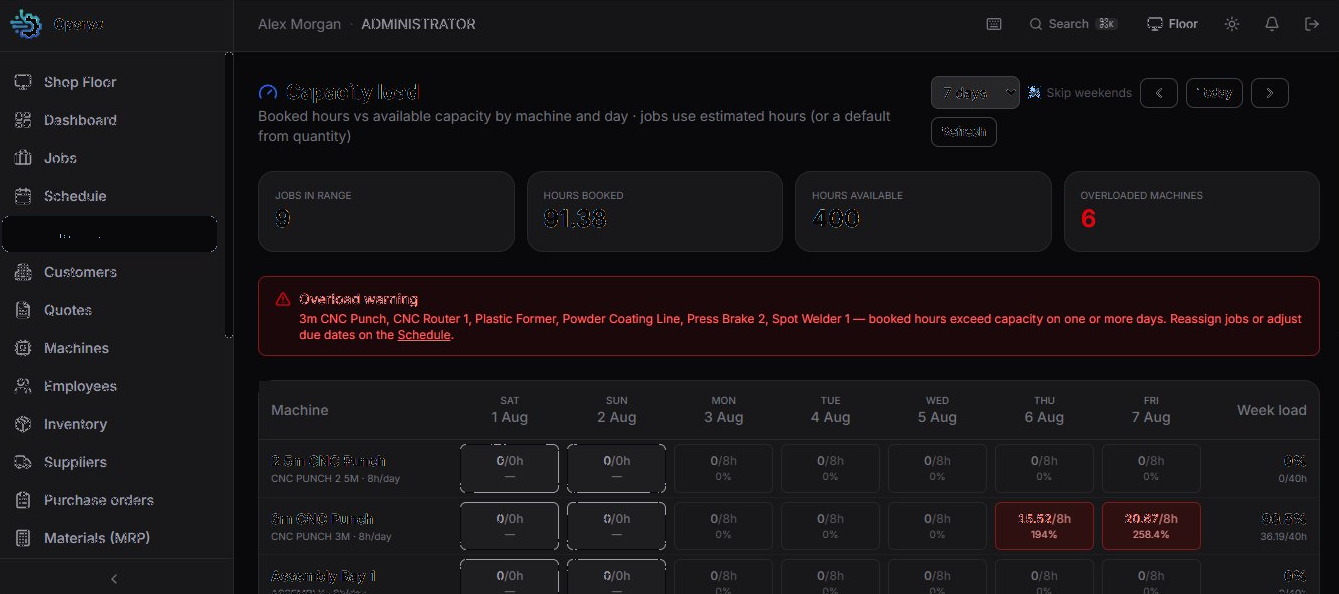
Drop work onto the week. Capacity shows overload against shop hours. Shutdowns block the calendar. Outside jobs do not pad plant load.
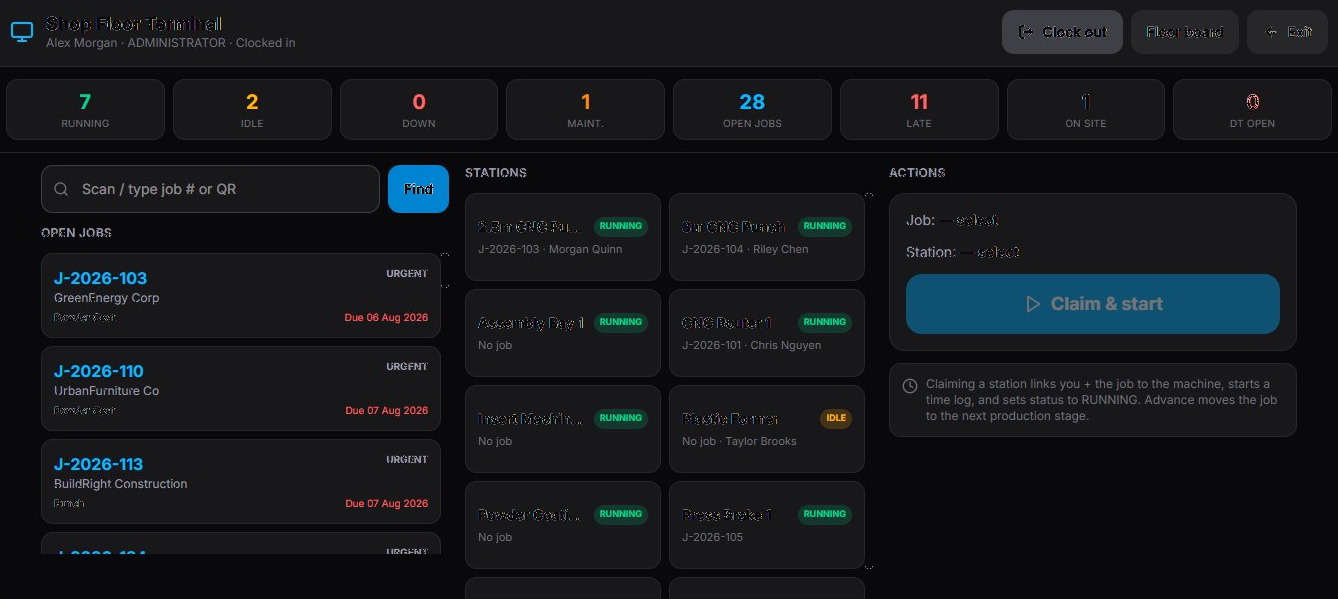
Built for tablets and station PCs. Scan then claim, advance stages, log downtime and print the approved drawing — including an offline clock queue.
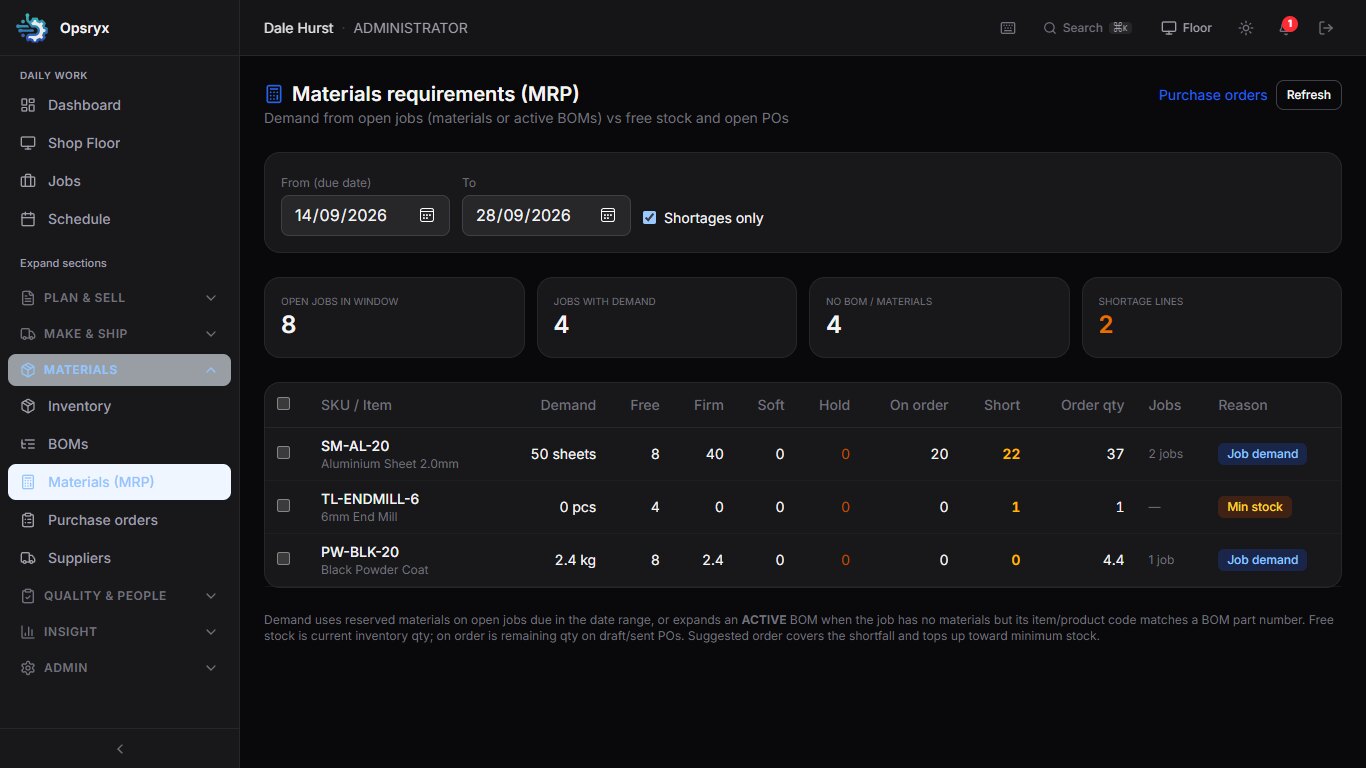
Parts, sheet, consumables and finished items. Demand from open jobs against free stock and open POs. Shortages become a draft order, not a Friday surprise.
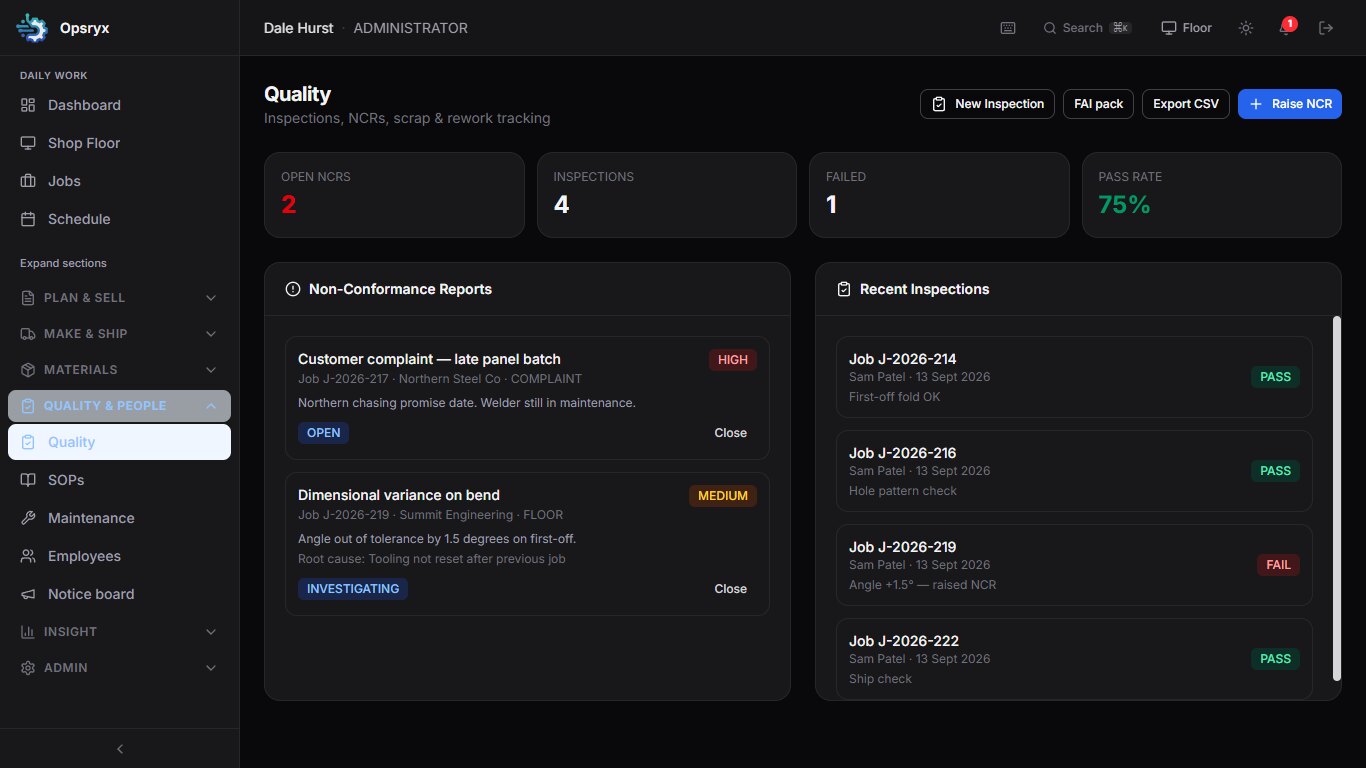
First-off, complaints, inspections and non-conformance on the same job trail an auditor can follow. Controlled drawings: only the approved revision reaches the floor.
Ship-to, carrier, boxes, POD and pack notes. Send and receive subcontract with PO, cost and certificates. Part-shipped and outside filters on jobs.
Ready-to-ship list, print pack, CSV for a manual accounts run when you need it.
Sent and due-back outside jobs stay on the card and do not invent shop capacity.
Optional public page for one job. The customer does not get access to the plant system.
Ask where a job is, what is late and why, which machine is overloaded, what to order, and what to do next. A faster start for the morning meeting — not a replacement for a good scheduler.
Points at the next action from live job, capacity and material data.
Ranks who is likely fastest on similar work from approved time logs, skills and leave. A planning aid, not a public leaderboard.
Opsryx can raise and convert invoices from the job, connect to Xero, QuickBooks Online or Sage, refresh paid status, and show aged debt and customer statements. Cash and the statutory ledger stay in your accounts package.
Xero
Connect when you want paid status and posting from the job invoice.
QuickBooks Online
Same pattern: operations and invoices start in Opsryx; ledger stays in QBO.
Sage
Supported as an external ledger connection — not a replacement accounts suite.
Despatch CSV remains available for a manual accounts run. Opsryx can raise invoices from the job, but it does not replace your accounts ledger — by design.
Tell us about your plant. We will come back with a short demo on a job flow like yours.
Thanks — message received.
We aim to reply within one business day.